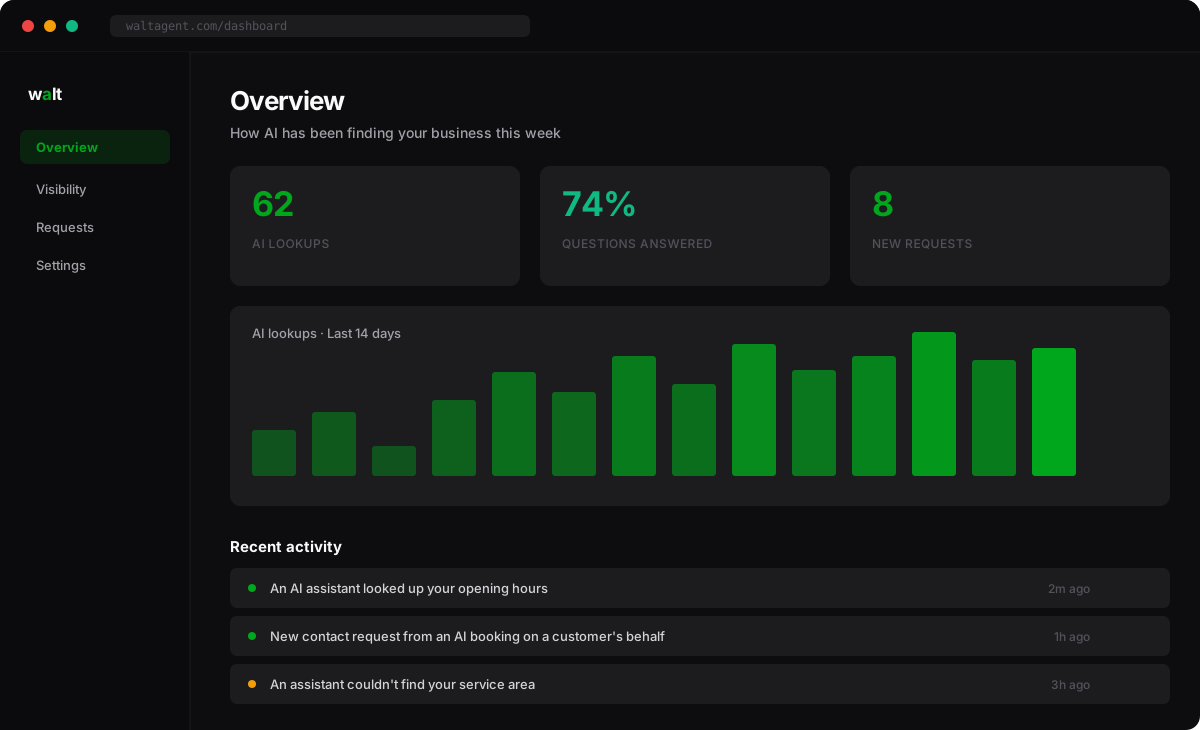
Your dashboard is where you see everything Walt notices — in plain English. No charts to decode, no settings to fiddle with.
The numbers at the top
- AI lookups — how many times AI assistants checked out your business.
- Questions answered — how often the assistant found what your customer was asking. Higher is better; it means you’re not losing customers to missing information.
- New requests — customers AI has sent your way who want to hear from you.
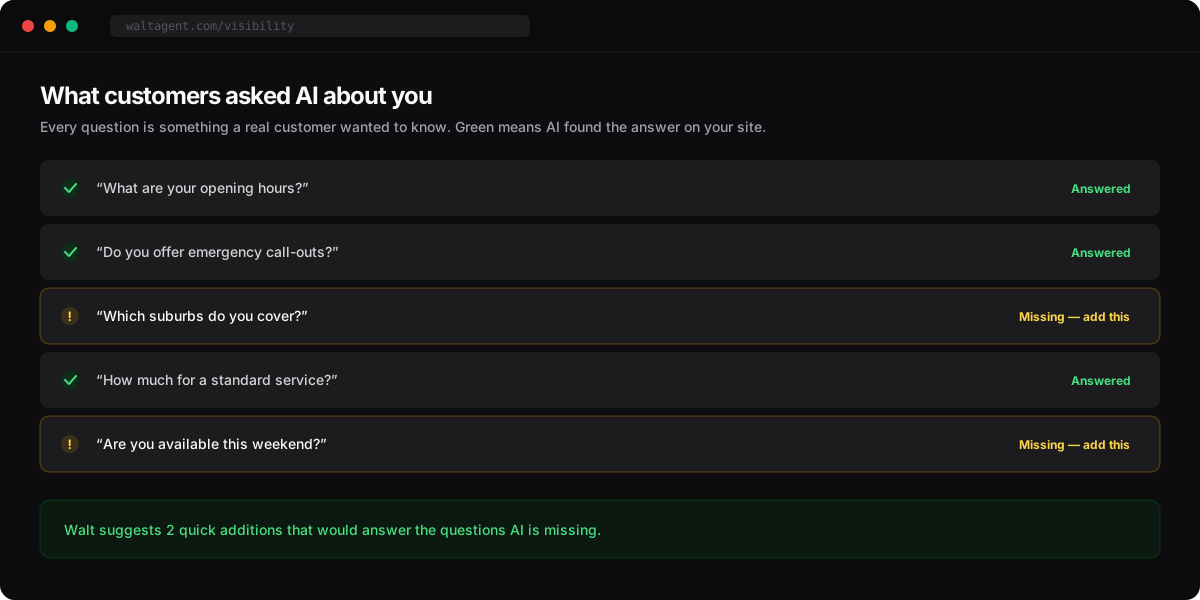
What customers asked
Walt shows you the actual questions customers asked AI about your business — and whether the assistant could answer them.
Where to go next
When AI sends a customer your way, their request shows up in one place. See Handling customer requests.